

Price list
Profile
Management
0901 868 786
Price list
Profile
Management
0901 868 786
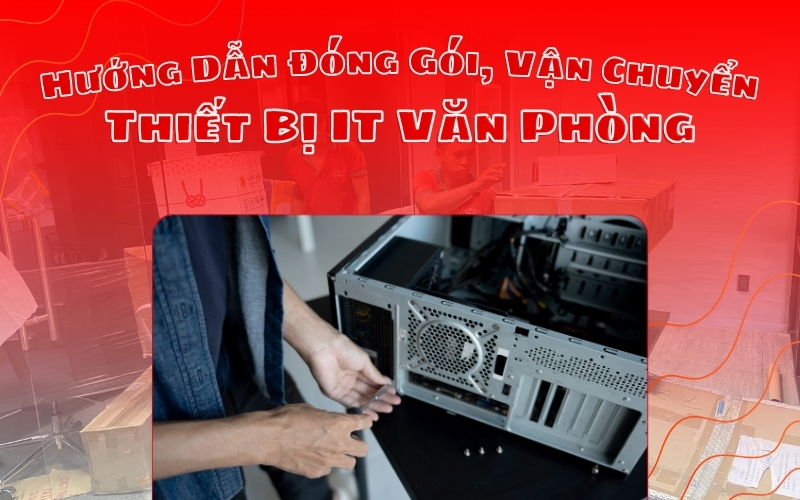
Packing office IT equipment is always an important step before every office move, because negligence can cause data corruption, operational interruption or lost components. From experience in moving office packages, the SEC Group team realized that most risks come from the packaging and transportation stages. This tutorial summarizes the entire practical process that employees at Saigon Express - SEC Group currently in use, helping businesses handle IT equipment safely, limit work interruptions and optimize shipping time.
This is the stage that determines the safety level of the entire office moving process. Before disassembling the device, businesses need to ensure two factors: data has been fully backed up and packaging materials are ready. This is the foundation for entering the correct packaging process.
Backing up data is the most important step before dismantling IT equipment, because any incident during transportation such as strong shock, breakage or short circuit can cause the hard drive to suddenly fail and lose all data.
Businesses should prioritize backing up accounting data, human resources and active applications. With laptop devices or workstations, you should use a removable hard drive or cloud to duplicate important data.
According to practical experience, many self-packaging businesses often use non-specialized materials. This is especially dangerous with desktop computers or office equipment.
Specialized supplies directly affect the safety of equipment during transportation. Required supplies include: 3-5-layer cartons, PE foam, anti-shock bubbles, warning tape, etc. The more complete, the faster the packing process and the more risks are minimized during moving.
This is the standard process that the technical team applies in large office moving projects. Each step helps protect equipment, avoid movement and reduce damage due to vibration. Whether it is an office desktop or a personal laptop, the process must be followed sequentially. The steps below describe each operation in detail.
Before starting to disassemble, the technician needs to make sure the entire computer is completely turned off, with no background processes or backup tasks remaining. After completing the inspection, take a photo of the back of the computer case before unplugging the cord, then proceed to unplug the power cord to make it easier to reinstall after arriving at the new office and completely eliminate the risk of electric shock during the disassembly process.
Orderly disassembly, taking photos before disassembly and grouping wires help ensure uniformity and reduce the risk of confusion when restarting the system after moving offices.

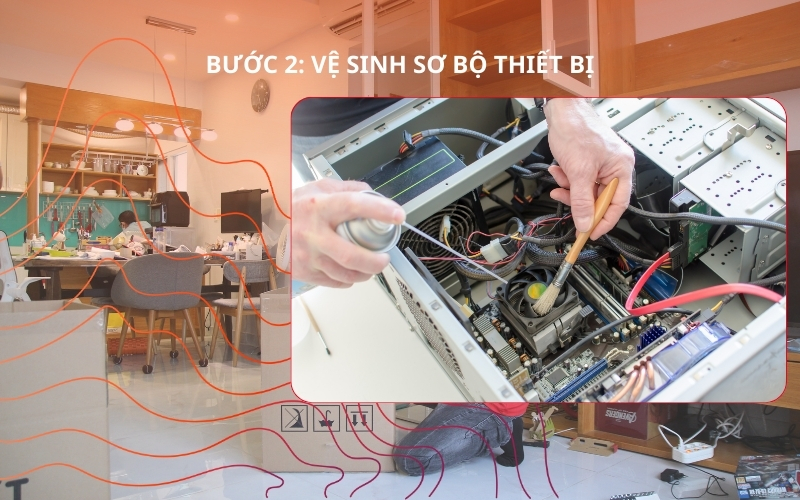
Cleaning equipment before packaging not only helps limit dirt in the box but also reduces the risk of scratches during transportation. Long-term dust can stick to the heat sink, port area or screen surface.
Technicians should use a soft cloth and brush to clean the surface, and gently blow dust from the connection port with a compressed air spray. Thorough cleaning also helps detect equipment problems and report them before shipping.
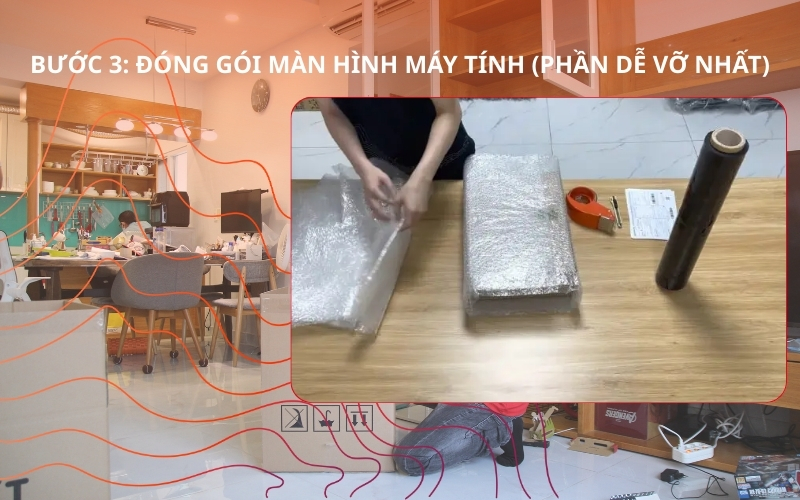
Screens are the most fragile devices and often cause high damage rates when moving offices if not packed properly. The standard process includes: wrapping the first layer with PE foam to hug the surface; Next, add a thick shockproof layer to reduce shock.
The screen should be placed in a box of just the right size, avoiding a large box that causes it to move when the vehicle is running. Technicians insert foam on all four sides and bottom of the box to secure it. Finally, the box must be labeled "FRAGILE - Fragile Goods" to indicate priority.
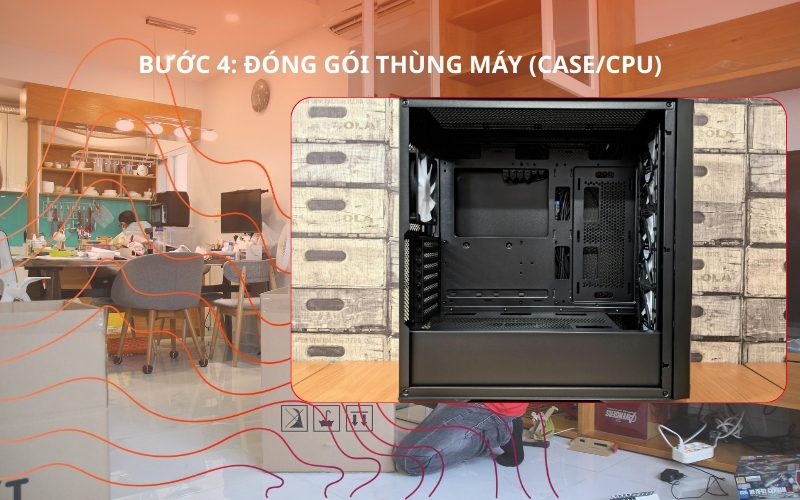
Cases often contain many important components such as CPU, RAM, mainboard, graphics card, hard drive. These components are very sensitive to impact. When packing, the case needs to be wrapped in an anti-static bag, then covered with a layer of PE foam to absorb force when the case collides.
Case must be placed upright when transported, not placed horizontally. Use additional straps to secure the case to the pallet to reduce vibration when the vehicle moves on bad roads. In addition, you need to check the screws on the side of the case to make sure they are not loose, to avoid the panel sliding off when moving.
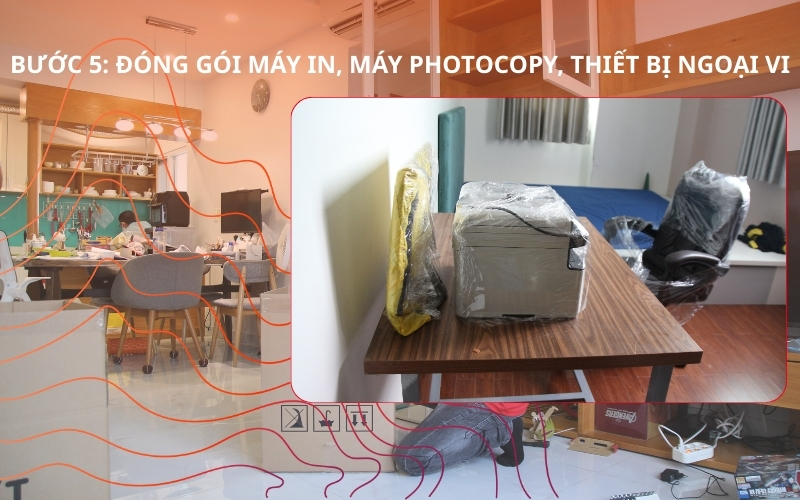
Printers and photocopiers have many mechanical parts that can easily become dislodged, especially the paper tray, opening lid, paper roller, and ink cartridges. Therefore, before packaging, the technician needs to lock the lid, fix the paper tray with specialized tape and wrap the ink cartridge separately to avoid ink leakage during transportation. Large photocopiers need to be fixed with straps and placed on the vehicle using a lift.
Peripheral devices are put into anti-static bags, placed in separate boxes and labeled according to each part. Proper packaging helps reduce setup time at the new office and limits errors when restarting the system.
Server is the most important device in the IT system. Any errors during shutdown, packaging or shipping can cause disruption to the entire business.
If office computers require careful handling, servers require highly specialized processes and specialized transportation equipment. Businesses need to pay special attention to three factors: shutting down in the correct order, anti-static packaging and shock-absorbing transportation.
The server is the most important device, so the shutdown process must follow technical standards to avoid sudden shutdown causing data loss or RAID system error. It is necessary to check all active sessions and running services. You must turn off each virtual machine in the correct order of priority before turning off the physical server. Proceed to shutdown the database with a safe command to ensure the data is not corrupted.
Next, check the system log to make sure there is no more data recording process. When all processes have stopped, execute the shutdown command directly from the administration interface or Remote Console. Finally, unplug the UPS and check the error light before removing the cables. Standard shutdown procedures help protect data and ensure the server can restart immediately at the new office without problems
Packing a rack requires a more meticulous process than a regular computer because the rack contains many servers, switches and network devices. If transporting the entire cabinet, you must lock the wheels, fix all sliders and use straps to tighten each server. You should use additional shims in gaps to limit vibration.
In case each server needs to be removed for separate transportation, it should be placed in an anti-static bag, covered with PE foam and labeled with the location code in the form "Rack number - U number - Device name". This makes the reassembly process quick and precise.
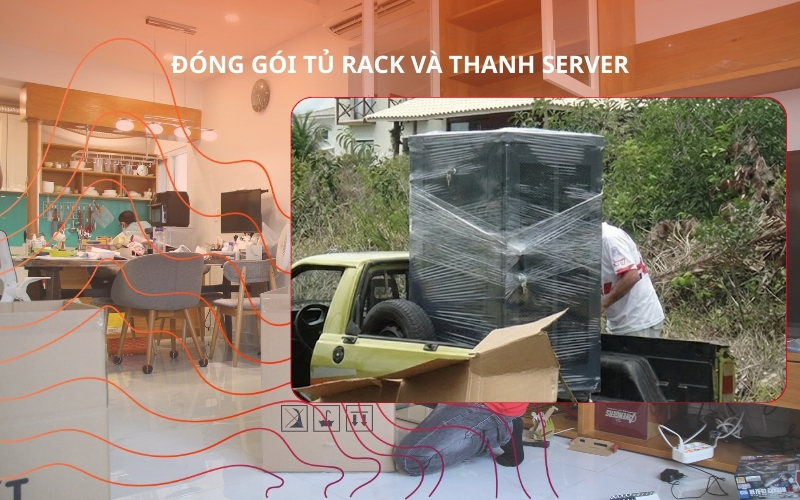
The server system is very sensitive to vibration. Therefore, the transportation plan must use a truck with a forklift to safely lift it without manual lifting. The lifting platform helps reduce vibration by 80% when lifting the device.
The truck transporting the server must be equipped with anti-shock floors, rubber cushions or technical mats to absorb vibrations. For separate server devices, the box must have a foam layer at least 3–5 cm thick. If traveling long distances, you should arrange additional pallets or wooden pallets to avoid direct contact with the vehicle floor.
When moving offices, the number of cables and equipment is very large. Therefore, marking each group or table position is the optimal solution to control the entire system. Devices need to be assigned color codes, serial numbers or department stamps. Sealing helps limit box opening during transportation.
Small businesses can handle it themselves, but for offices with a lot of IT equipment or servers - self-transportation has many potential risks. The decision to do it yourself or hire a professional unit depends on the scale and importance of the IT system. The following section provides a detailed analysis of risks and criteria for selecting a suitable unit.
Self-transporting IT equipment is the choice of many businesses with the goal of saving costs, but in reality there are many potential unpredictable risks. Hardware failure, cracked screen, bent case legs,... the bigger risk is data loss. Besides, loss occurs very often. Self-transportation also poses risks to electrical and human safety. Many office equipment is heavy and can cause injury if carried incorrectly. Therefore, businesses that use a lot of IT equipment should consider carefully before transporting it themselves.
When choosing office moving unit To transport IT equipment, the most important thing is the experience and working process of the technical team. Priority should be given to units that have a team that understands IT equipment and understands the disassembly and assembly process. A reputable unit must have a standard packaging checklist, specialized supplies and trucks with forklifts to handle equipment.
Next, businesses should check cargo insurance and compensation policy when damage occurs. Finally, businesses should request a survey in advance to assess the actual capacity of the shipping unit. The clearer the process, the higher the safety level of the equipment and the faster the delivery time.
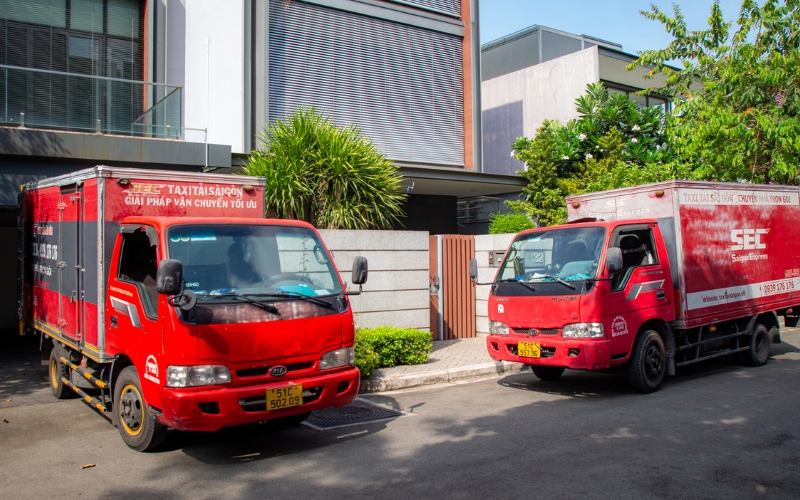
Saigon Express is a professional office equipment transportation unit in Ho Chi Minh City
Checklist helps businesses control the entire process, ensuring no missing steps and no missing important equipment. You can print the checklist below so that relevant departments can coordinate effectively on office moving day.
|
Category |
Content to be implemented |
Completed |
|
Backup data |
Backup important data & systems |
|
|
Prepare materials |
Carton, foam, shockproof, anti-static bag |
|
|
Disconnect the connecting wire |
Unpack – roll – classify – label |
|
|
Screen packaging |
Wrap in two layers, insert foam, stick Fragile |
|
|
Pack the case |
Anti-static wrap, secure card |
|
|
Printer handling |
Fix the cover, remove the tray, and wrap the cartridge |
|
|
Turn off the server |
Shutdown in sequence |
|
|
Package the server |
Anti-static bag, foam wrap |
|
|
Seal – mark |
Location stamps, department stamps |
|
|
Shipping |
Anti-shock vehicle, lift platform |
|
Whether businesses do it themselves or hire a service, following the correct process is always a decisive factor for success. Packaging office IT equipment according to standards helps businesses limit risks, protect data and shorten reinstallation time. Businesses should consider cooperating with reputable moving units such as SEC Group to receive support according to a professional, safe and fast process.
AUTHORS

Call center :
0901 868 786
Hotlines Ho Chi Minh :
0901 868 786 - 0939 176 176
Hotlines Ha Noi :
0949 668 875 - 0931 228 875
Hotlines Can Tho :
0901 868 786 - (028) 3776 0700
Hotlines Da Nang :
0901 868 786 - (028) 3776 0700
Hotlines Hai Phong :
0901 868 786 - (028) 3776 0700
24/7 support and Zalo:
0901 868 786

.png "Moving in Summer: Essential Tips & Professional Guide")



 HO CHI MINH:
Add: 121 Hoang Quoc Viet, Phu Thuan Ward, Ho Chi Minh City
Tel: 0901 86 87 86 - (028) 3776 0700
Email: kinhdoanh@sec-warehouse.vn
HA NOI:
Add: 98 Nguyen Van Giap Street, Cau Dien Ward, Nam Tu Liem District, City. Hanoi
Tel: 0949 668 875 - (024) 7302 2227
Email: info.hanoi@sec-warehouse.vn


DA NANG:
Add: Lot 39, Street 2, Da Nang Industrial Park, An Hai Bac Ward, Son Tra District, City. Danang
Tel: 0901 868 786 - (028) 3776 0700
Email: kinhdoanh@sec-warehouse.vn


.png "Viber 0901868786")